
The Details That Define a Professional Thesis
In college and institute paper formatting, the devil is in the details. A common point of friction is the style of numbered lists. Does your university require "1." (period) or "1)" (parenthesis)?
Mixing these up—or having lists that are squashed together while the rest of the text is double-spaced—can trigger formatting flags during submission.
PaperFormat.net provides a dedicated "List & Typography" section that controls these specific micro-interactions globally. You don't need to format every single bullet point manually.
Step-by-Step: Customizing Lists and Spacing
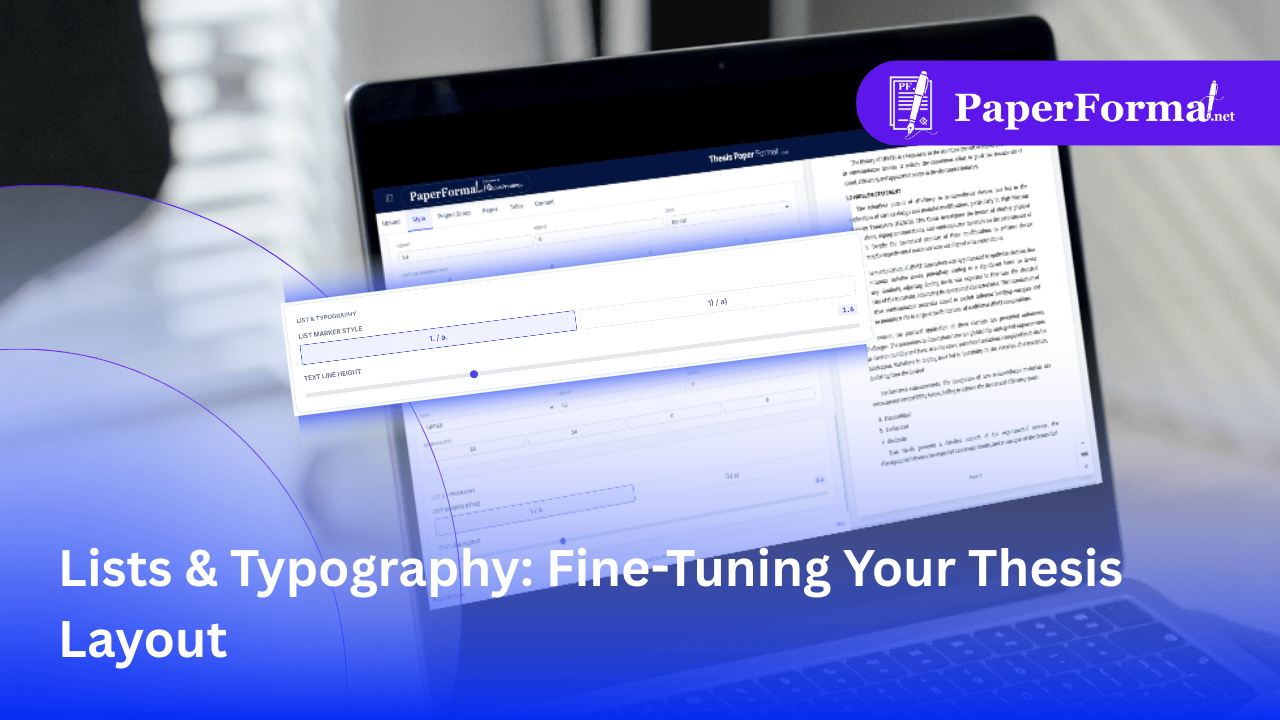
Refer to the screenshot above and follow these steps to polish your document's readability.
Step 1: Access the Typography Settings
- Navigate to the "Style" tab in the top navigation bar.
- Scroll down to the very bottom to find the section titled "LIST & TYPOGRAPHY".
Step 2: Choose Your List Marker Style
- This setting controls how ordered (numbered) lists appear throughout your project report.
- As shown in the image, you have two distinct standard options:
- 1. / a. (Selected): Uses a period after the number/letter. This is the standard for APA and most formal thesis formatting.
- 1) / a): Uses a parenthesis. Common in some legal or specific humanities formats.
- The Benefit: Changing this here updates every list in your document instantly. You don't have to go back and check if Chapter 3 uses different brackets than Chapter 1.
Step 3: Fine-Tune Line Height
- While you can set the main paragraph spacing elsewhere, this "TEXT LINE HEIGHT" slider offers quick global control.
- The image shows the slider set to 1.6.
- Institute Standards:
- 1.0 - 1.2: Single spacing (too tight for most theses).
- 1.5 - 1.6: The "Sweet Spot" for readability and standard submission.
- 2.0: Double spacing (required for draft reviews or specific styles like MLA).
- Dragging this slider adjusts the density of your text in real-time on the preview pane.
Why Automatic List Styling Matters
- Visual Harmony: It ensures that a list on page 50 looks identical to a list on page 5.
- Compliance: If your supervisor says, "Don't use brackets in your lists," you can fix the entire document in one click.
- Readability: Proper line height ensures that your lists don't look cluttered compared to the surrounding paragraphs.