
The Certificate Page: The Seal of Approval for Your Thesis
In college and institute paper formatting, the Certificate Page is legally significant. It requires specific wording, exact positioning of the "HOD" and "Supervisor" signatures, and often an official university letterhead.
Creating aligned signature lines in standard word processors is a nightmare of using the spacebar and "Tab" key until things look vaguely right.
PaperFormat.net automates this entirely. By linking to your Project Setup, our system generates perfectly aligned signature blocks for your Guide, Principal, and External Examiners with a single click.
Step-by-Step: Creating a Professional Certificate
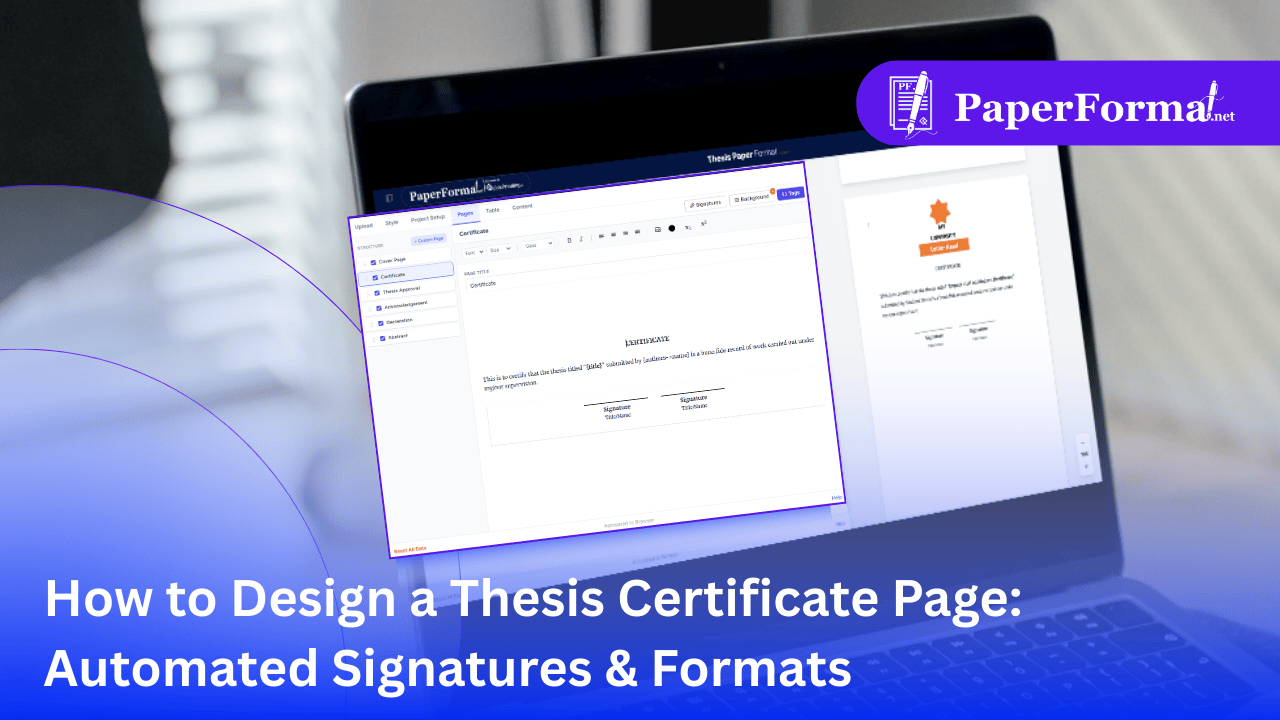
Refer to the screenshot above and follow these steps to generate a compliant certificate page.
Step 1: Access the Certificate Module
- Navigate to the "Pages" tab in the top navigation bar.
- In the STRUCTURE sidebar on the left, check the box for "Certificate". This loads the standard template into the editor.
Step 2: Use Dynamic Text (Write Once, Use Everywhere)
- Look at the editor content. Instead of typing your thesis title again, use the smart tags like
"{title}"and"{authors->name}". - Why? If you fix a typo in your title in the Project Setup, your Certificate updates instantly. No more mismatch errors between your Cover Page and Certificate.
Step 3: The "Signatures" Automation
- This is the most powerful feature. Click the "Signatures" button in the toolbar (circled in red).
- A dropdown menu appears with smart options:
- All Supervisors: Automatically inserts signature lines for every supervisor you listed in Project Setup.
- All Principals: Adds lines for the HOD and Dean.
- Blank Blocks: Need a spot for an "External Examiner"? Select "1 Blank Block" or "2 Blank Blocks" to insert generic signature lines that you can customize.
Step 4: Verify the Layout
- As shown in the preview pane on the right, the system handles the alignment perfectly.
- The signature lines are evenly spaced, and the "Title/Name" text is centered under the line automatically.
Step 5: Add University Letterhead
- Many institutes require the Certificate to be printed on official letterhead.
- Click the "Background" button in the toolbar. You can upload your college's header image so it appears digitally on the PDF, or leave it blank if you are printing on pre-printed paper.
Why This Beats Manual Formatting
- Perfect Alignment: No more "wavy" signature lines created by underscores (
____). Our blocks use CSS to ensure straight, professional lines every time. - Institute Compliance: Whether your college needs the HOD on the left and the Dean on the right, or stacked vertically, you can drag and drop these blocks to match the requirement.
- Typo Protection: Because the names are pulled from your central Project Setup, you will never misspell your Supervisor's name on the final approval page.