
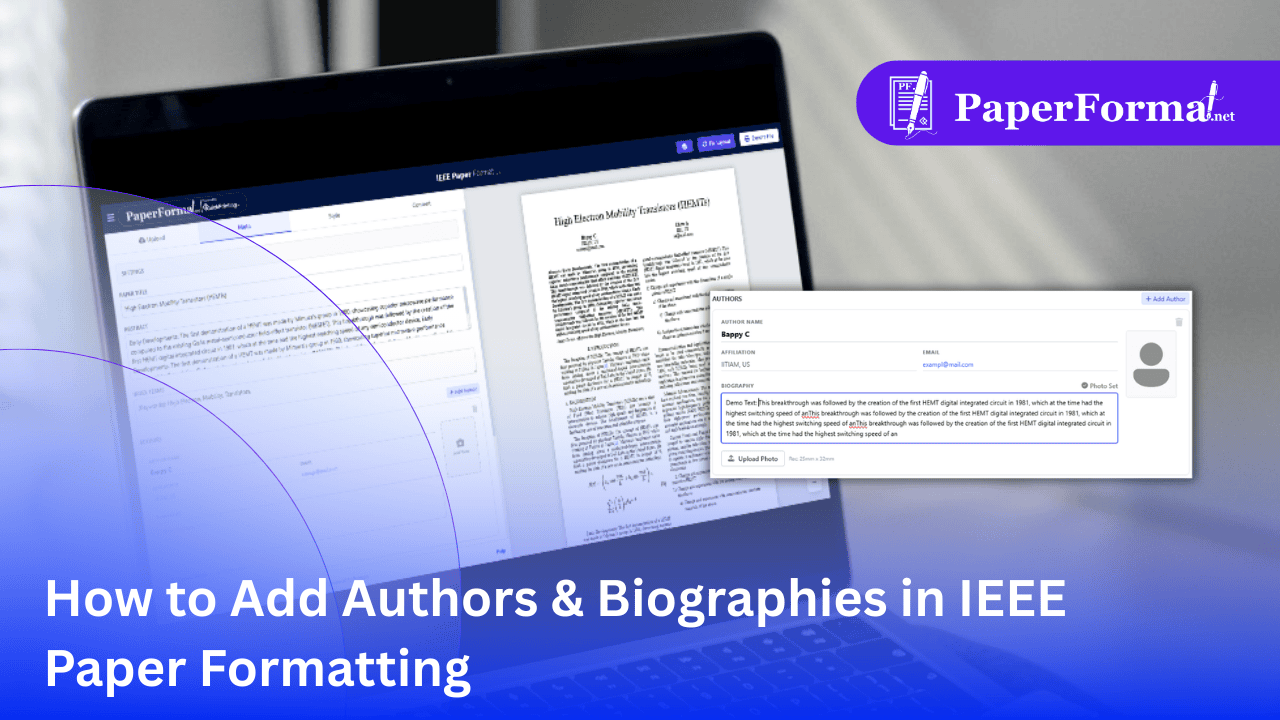
The Dual Role of Authors in IEEE Papers
In IEEE paper formatting, authors appear in two distinct places:
- The Header (Top): A list of names, affiliations, and emails centered at the top of the first page.
- The Biography (End): A formal section at the very end of the paper featuring a photo and a short bio for each author.
PaperFormat.net manages this split automatically. You enter the data once in the Meta tab, and the system intelligently places the name at the top and the full biography at the bottom.
Step-by-Step: Managing Author Details
Step 1: Access the Meta Tab
- Navigate to the "Meta" tab in the top navigation bar.
- Scroll down to the "AUTHORS" section.
Step 2: Add Basic Details (For the Header)
- Add New: Click the "+ Add Author" button to create a new entry.
- Fill Fields: Enter the Name, Affiliation (University/Company, City, Country), and Email.
- Visual Check: As shown by the red arrow in the image, the system automatically formats this into the standard IEEE "Author Block" at the top of the first page.
Step 3: Adding Photo & Biography (For the End of Paper)
Crucial Formatting Rule: In IEEE style, the detailed biography section only appears if you provide bio text and a photo.
- Write Biography: In the "BIOGRAPHY" text box, write your professional background (e.g., "Bappy C received the B.S. degree in...").
- Upload Photo: Click "Upload Photo". The system expects a standard headshot.
- Note: The system automatically resizes this to the strict IEEE dimension (usually 1 inch wide) and wraps the text around it.
- The Result: As shown in the preview on the right, filling these fields automatically generates a "Biography Section" at the very end of your research paper.
Important: How the Display Logic Works
- Header Only: If you only enter Name/Affiliation/Email, the author will appear only at the top of Page 1.
- Header + Bio: If you also add a Photo and Biography text, the author will appear at the top AND at the end of the paper.
This automation ensures you don't have to manually format wrapping text around images for the biography section, which is one of the most difficult parts of IEEE paper formatting in Word.