
The #1 Reason for IEEE Submission Rejection: Wrong Page Size
In IEEE paper formatting, the most common technical error is submitting a US Letter PDF to a conference that requires A4 (or vice versa).
IEEE conferences are strict. If the conference is in Europe or Asia, they typically mandate A4 size. If it is in the US, they often mandate US Letter. The margins for these two sizes are different, and simply "shrinking" the PDF later ruins the font size.
PaperFormat.net allows you to switch the entire document's canvas instantly. This ensures that your columns, figures, and footnotes realign dynamically to fit the target paper size before you generate the PDF.
Step-by-Step: Adjusting Page Layout
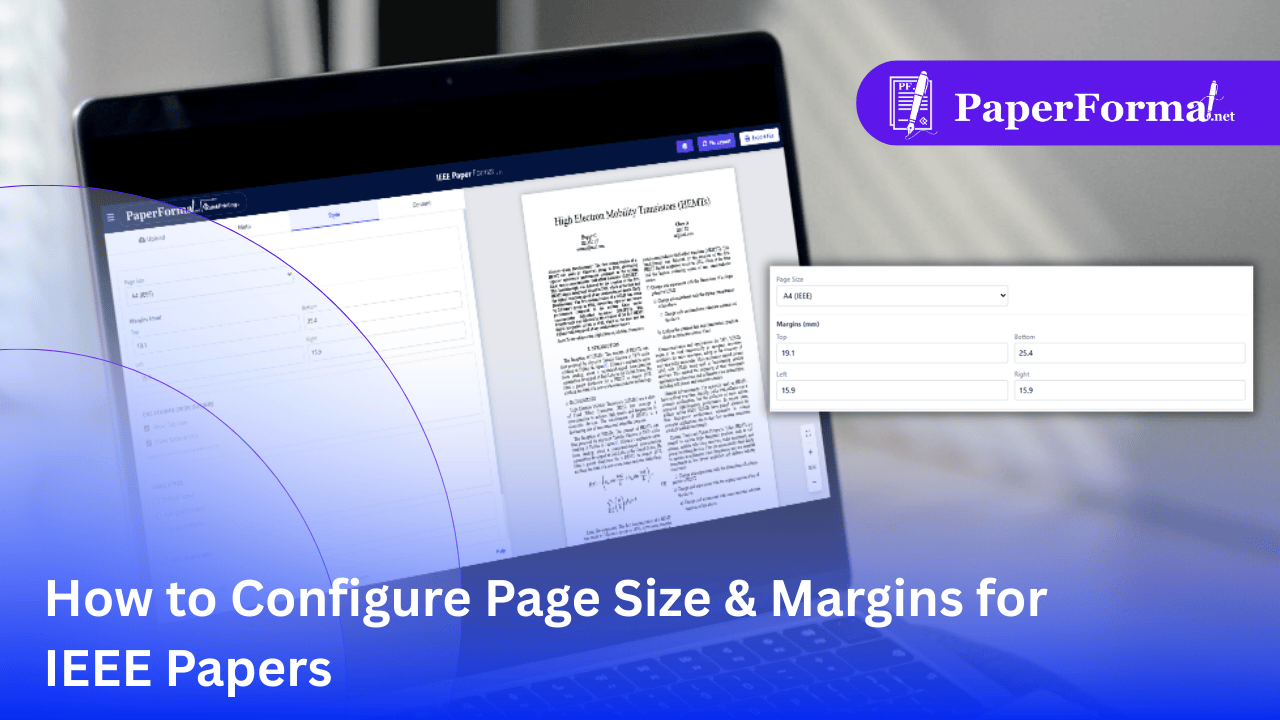
Refer to the screenshot above and follow these steps to lock in your document dimensions.
Step 1: Access the Style Tab
- Navigate to the "Style" tab in the top navigation bar.
- This panel controls the global geometry of your paper.
Step 2: Select Page Size (A4 vs. Letter)
- Locate the "Page Size" dropdown menu at the top left.
- A4 (IEEE): Select this for most international conferences (Dimensions: 210mm x 297mm).
- US Letter (IEEE): Select this for North American conferences (Dimensions: 8.5" x 11").
- Why it matters: As soon as you switch this, the editor preview on the right will reshape. You might see text shift to new pages—this is normal and allows you to fix layout breaks before exporting.
Step 3: Define Margins (in Millimeters)
- Look at the "Margins (mm)" section.
- The default IEEE standard margins are often pre-filled (as seen in the image):
- Top: 19.1 mm (approx. 0.75 inch)
- Bottom: 25.4 mm (approx. 1 inch)
- Left: 15.9 mm (approx. 0.625 inch)
- Right: 15.9 mm
- Customization: If your specific conference guide asks for a "20mm top margin," simply type the new value here. The document content will instantly reflow to respect the new boundary.
Pro Tip: Check Your "Gutter"
- Column Spacing: While page margins control the outside edge, standard IEEE format also requires a specific gap between the two text columns (usually ~4-5mm). This is handled automatically by the portal's IEEE engine, but changing the Left/Right margins significantly might squeeze your columns.
- Always Check the Bottom: After changing from Letter to A4, check the bottom of your last page. The extra length of A4 might allow you to fit that one dangling reference that was pushed to a new page in US Letter mode.